Panel Description:
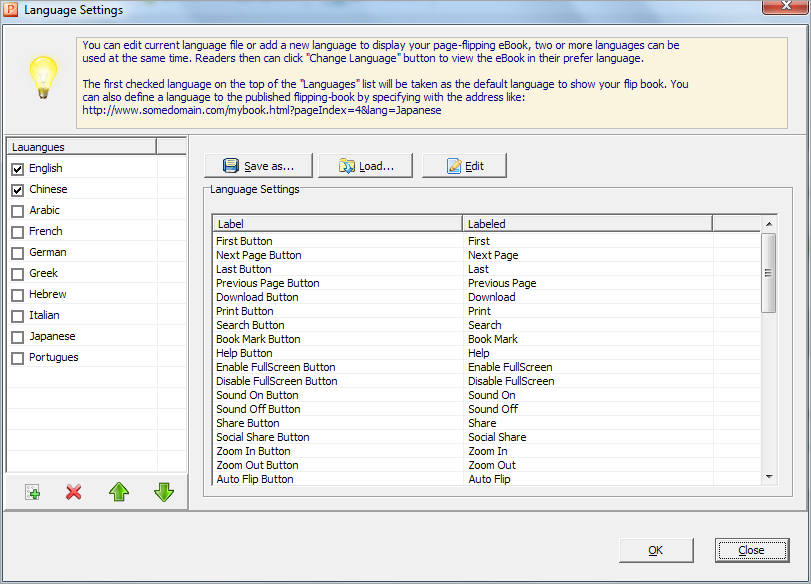
Click "Options->Flash Language", you will enter into the Language Settings interface as below shows:
As the tips explaining, the "Labeled" column lists the buttons and instructions on Flash books in defined language, and the program provides you 10 different languages for you to use: English, Chinese, Arabic, French, German, Greek, Hebrew, Italian, Japanese and Portuguese.
You can also add other language for your own uses:
1. Click the button  and define name for the new language:
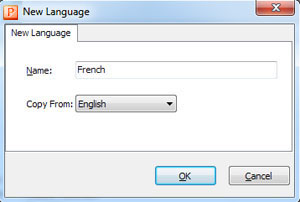
Click "OK" to save the new language in the list;
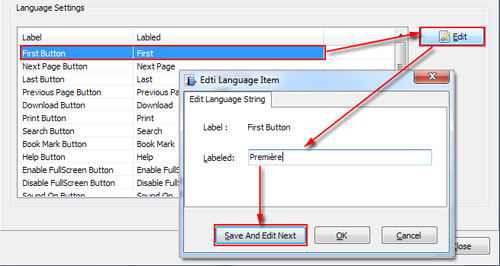
2. Choose the first label and click "Edit" icon, define new language text in "Labeled" box, then click "Save And Edit Next":
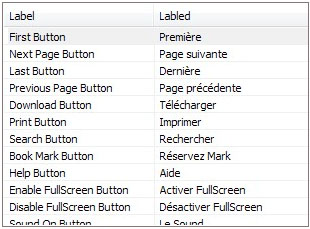
3. After translating all labels into your new language, you can get Labled column text as the below image shows:
You can delete some unwanted label: 
Or save your edited new language file as XML or TXT file: 
Load language file saving before for current using: 