


Publish my flipbook - Which output format should I choose?
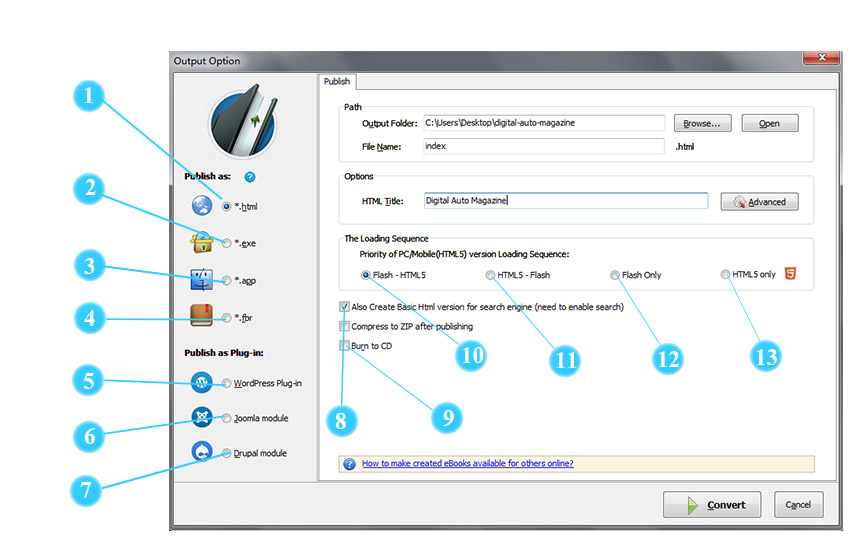
Click the "Publish" icon to publish the flipbook to your local computer. You can publish the book in HTML, EXE, App, FBR, mobile version and Burn to CD.
 HTML
HTML

HTML output type allows you to publish and upload created page-flipping eBook online and embed to websites.
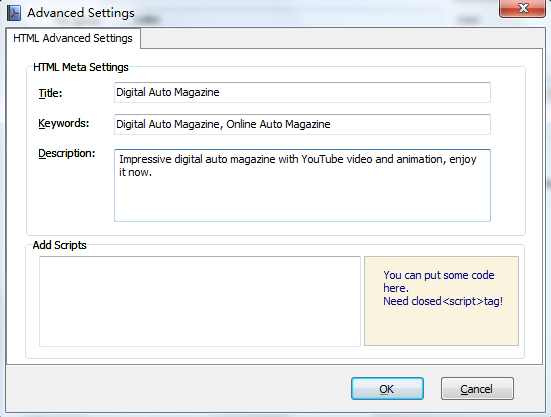
You can define HTML Title and other properties by clicking "Advanced" button:

Set Keywords, Description or even Script in the below interface:
 EXE
EXE

EXE output type allows you to save the created flipbook as a single executable file that can run on computers offline.
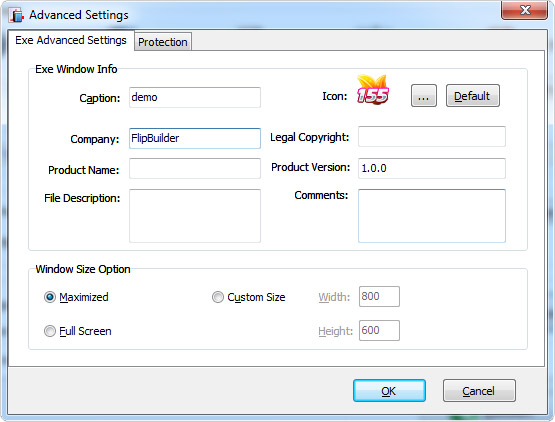
You can define Advanced Settings for the EXE file: caption, icon, company, legal copyright, product name, product version, file description, comments and window size.
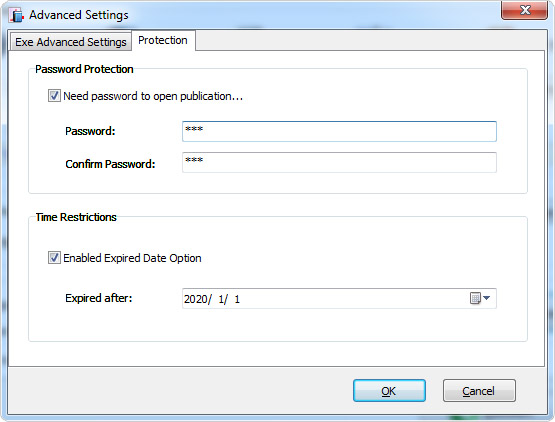
Besides, you can set protection for the EXE file by adding password and setting expired date.
 APP
APP

If you want to make executable application to run on Mac devices, you can output as "*.app" format.
 FBR
FBR

FBR is an especially designed format to read with free Flip Reader, and it's easy to email and read offline.
 WordPress Plug-in