Android Book App Maker |

Publish your books for people to read on Android smartphones and tablets easily? Android Book App Maker is the right software to build Android Book Apps from Text files and images, after publishing your book App onto Android market, people can easy search in the App store and download your book to read in their own Android devices with page flipping effect, Day/Night reading modes, easy navigation by table of contents, totally comfortable and convenient reading experience for all of the readers.
For Windows 7, Vista, XP & Need JRE or JDK (Android OS version 1.6 or above)
![]() |
![]() |
||||||||
|
|
||||||||
| Easy create Android Apps for your books | ![]() |
Convert your thousands of books to Android Apps for publishing use, then people could download and read your books from App Market easily, use Android Book App Maker. The software is easy-to-handle book App creator, just import text, images, or even write text in the window directly, then you will be enabled to build a Android book App with modern book effect and experience to bring to all Android fans.
|
![]() |
Flip book pages on Android devices |
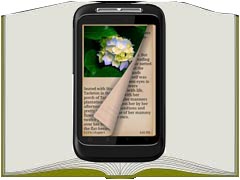
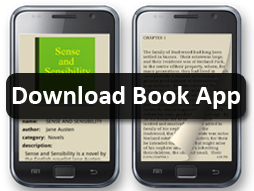
Make your book more modern, available on Android tablets and smart phones, just use Android Book App Maker to make your own book apps to install on Android devices, with page flipping effect applied. People can easy slide on screen to flip pages, like reading a real book everywhere. |
| Customize book info totally | ![]() |
While building your Android book Apps with Android Book App Maker, you are enabled to totally define your book info and designs, including Book Name, Author, Category, Website, Description, Icon, Cover, Display Font and so on. You can design unique appearance for your Android Apps easily. |
![]() |
Convenient reading your Android Book Apps |
|
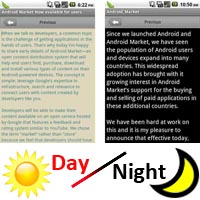
The Book Apps created by Android Book App Maker provides readers wonderful and convenient tools to enhance reading experience. Such as Day/Night Reading Modes, different readers prefer different modes in different time or book display situation; Fully Customizable that readers can change book font, day/night mode font color and background color, line spacing, etc.
|
| Clear table of contents to guide readers | ![]() |
You can form series chapters for your books in Android Book App Maker, and while reading your published Android book Apps, readers can easy jump to different chapters by clicking on chapter name in the table of content panel. Create Android book Apps with the kind of clear and easy navigation for all readers. |
![]() |
Easy change book App tips language |
To make your book app more acceptable and attractive, Android Book App Make also enables you to change tips language for your book Apps. You can change all relates titles or options into your own language, like change the navigation tips "Previous", "Next" or Book "Author", "Category", etc.. You can also change the book content direction as "Left to Right" or "Right to Left". Bring more creditable Apps to all Android fan readers. |
| Protect your Android book Apps content | ![]() |
If you want to add some kind of encryption on your book content so that your book data is unreadable in case someone opens the .apk file and extracts the data file, the Android Book App Maker provides the option "Encrypt contents of the book" for you to protect code in created .apk file. |
![]() |
Free upgrade for ever |
Upgrades are always free. Once you have purchased the software, you can use it forever. We reserve the right to raise price for later versions, but you don't need to pay one cent for upgrading. |